Finding channels you love is easy—but saving them for quick access is even better. With the WE2USAT favorite channels feature, you can create a personalized channel list and enjoy faster navigation every time you watch TV.
In this guide, we’ll show you how to favorite channels on WE2USAT, and how to quickly access them later using your remote control.
WE2USAT Setup Guide: How to Favorite a Channel
If you’ve discovered a channel you enjoy and want to watch it again later, follow these simple steps:
Step 1: Find the Channel
Turn on your WE2USAT TV box and navigate to the channel you want to save.
Step 2: Select the Channel
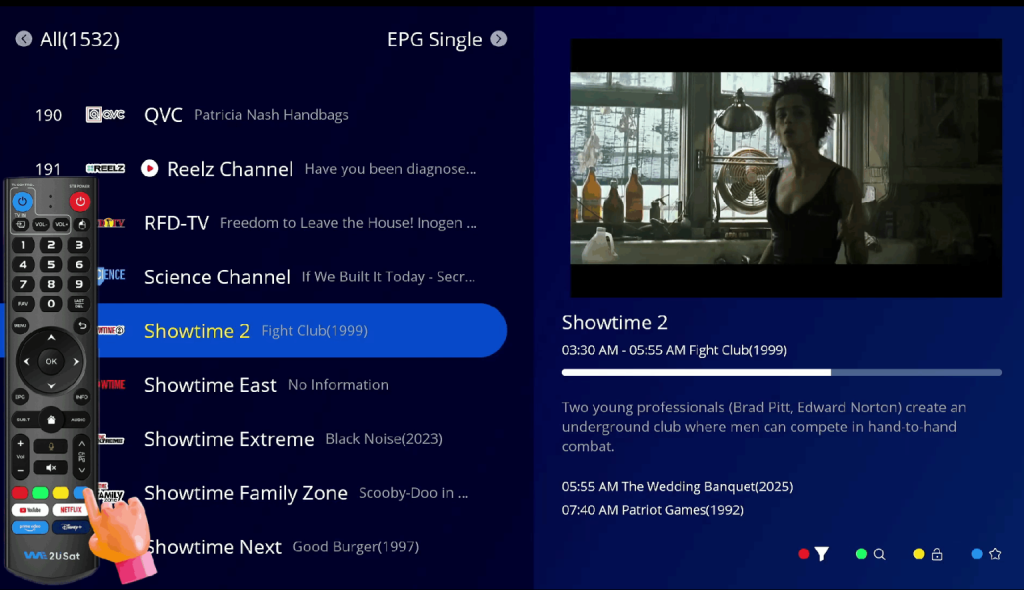
Short-press the round navigation button on your WE2USAT remote to bring up the channel information.
Step 3: Confirm and Add to Favorites
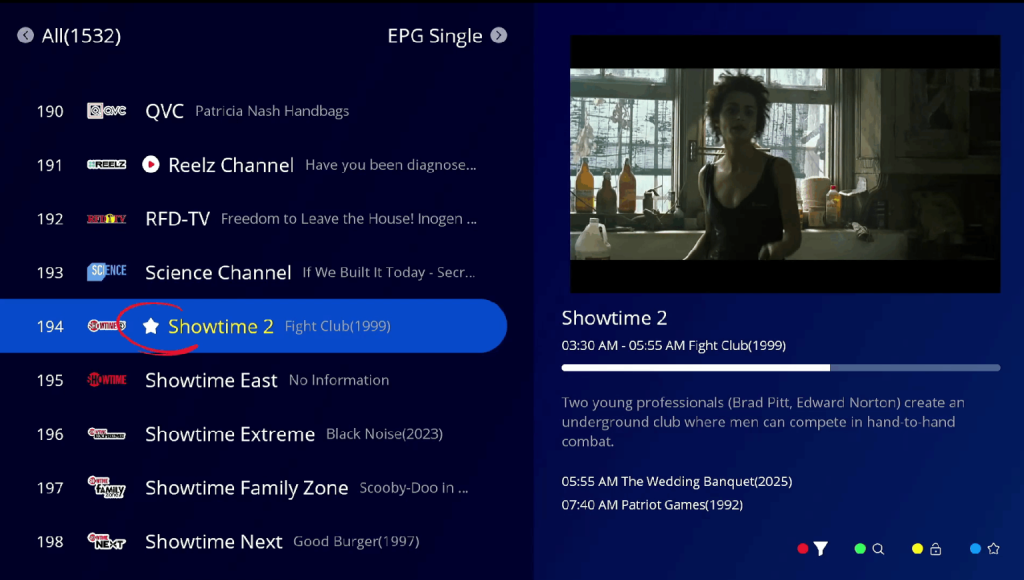
Short-press the blue button to confirm.
Once you see a star icon light up, the channel has been successfully added to your favorites list.
That’s it! With just three quick steps, your favorite channel is saved and ready for future viewing.
How to Watch Your Favorite Channels on WE2USAT
Wondering how to access your saved channels? It’s just as easy:
Turn on your TV and open the app where your channels are located.
Short-press the [FAV] button on your WE2USAT remote control.
Your favorite channels list will appear. Select the channel you want and start watching instantly.
For more details about each button, check out our WE2USAT Remote Control Guide.

Why Use the WE2USAT Favorites Feature?
Faster access to your most-watched channels
No need to search every time
Personalized viewing experience
Easy to manage and update your channel list