Meta Description: Learn how to adjust subtitle font size on WE2USAT streaming devices. Follow this step-by-step WE2USAT tutorial to customize subtitles for better readability, reduce eye strain, and enhance your TV and movie experience.
Watching movies or TV shows on your WE2USAT streaming device but struggling to read subtitles? Small or hard-to-read subtitles can ruin your viewing experience. Fortunately, WE2USAT makes it easy to adjust subtitle font size and text scaling in just a few simple steps. Customize your subtitles to your comfort and enjoy a seamless streaming experience.
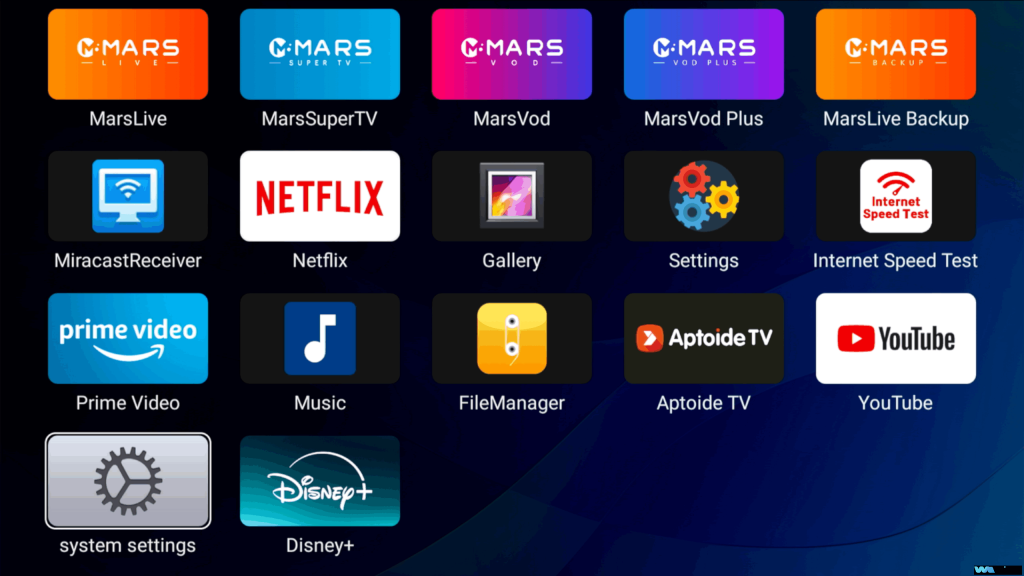
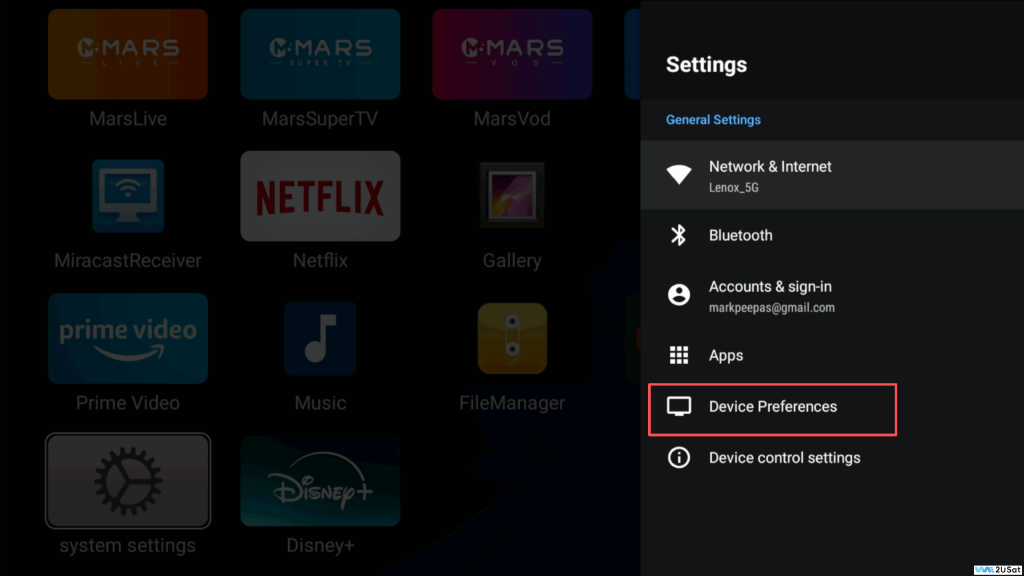
Navigate to System Settings on your WE2USAT main screen. Then go to:
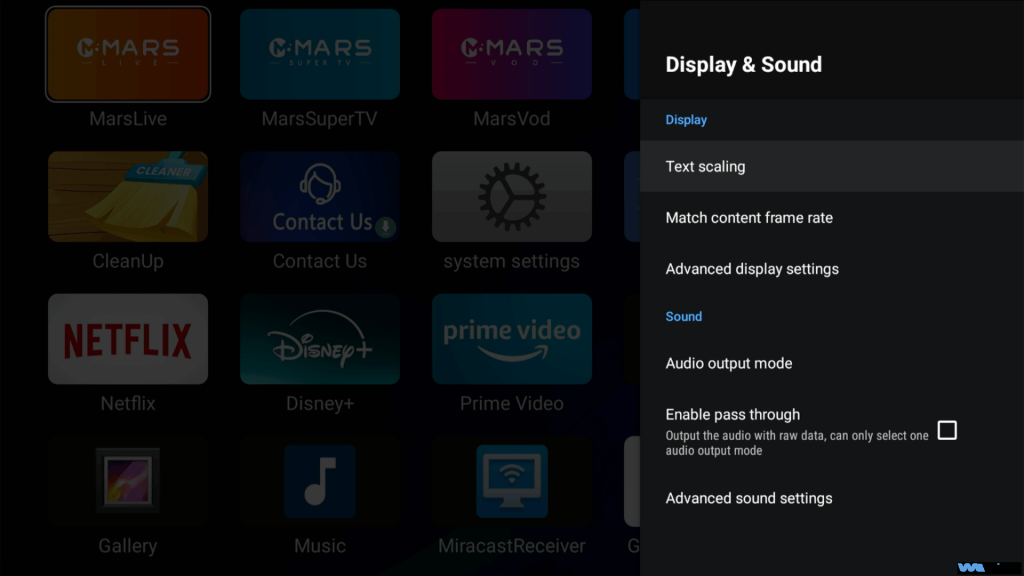
Device Preferences → Display & Sound → Text Scaling
This menu lets you control subtitle size, font scaling, and preview text changes in real-time.
Step 2: Preview and Select Font Size
Once in the Text Scaling menu, explore all available font size options. Use the preview to see how subtitles appear on your screen. Choosing the right subtitle size ensures readability and reduces eye strain during long viewing sessions.
Step 3: Apply Your Preferred Subtitle Size
Select the subtitle size that fits your viewing habits. The change applies automatically. Enjoy a personalized subtitle experience tailored to your eyes!
Pro Tip: If the screen display looks misaligned after adjusting subtitles, check Screen Size Adaptation in your device settings to optimize your display layout.
Why Adjusting Subtitle Size Matters
Better readability: Large, clear subtitles improve comprehension while watching foreign films or series.
Reduce eye strain: Customized text size prevents eye fatigue during extended viewing.
Enhanced entertainment experience: Perfect subtitle size makes movies, TV shows, and streaming content more enjoyable.
Easy customization:WE2USAT allows users to adjust subtitles effortlessly without technical knowledge.
Additional Tips for Optimal Subtitle Viewing
Try different subtitle sizes to see what works best for your eyes.
Combine subtitle size adjustment with screen adaptation settings for ideal display alignment.
Regularly update WE2USAT firmware to ensure all text scaling features work correctly.
With these simple steps, you can transform your streaming experience. WE2USAT’s subtitle customization feature ensures you never miss a word of dialogue again.