3. Connectivity and Ports
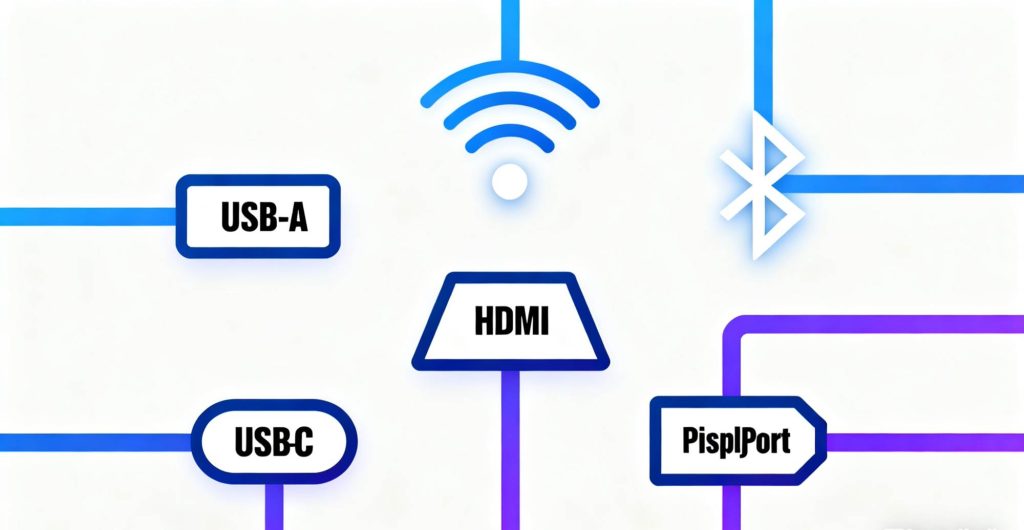
When choosing an Android TV box, connectivity options and available ports are essential. A reliable Wi-Fi connection is crucial for seamless streaming. Choose a model that supports dual-band Wi-Fi for enhanced performance.
Besides Wi-Fi, an Ethernet port is beneficial for a stable wired connection, especially if your Wi-Fi signal is unreliable.
Look for HDMI ports, as most modern TVs use HDMI for connection. Multiple USB ports are useful for connecting external devices like storage drives, keyboards, or game controllers.
Other important features include Bluetooth (for connecting wireless headphones or speakers) and an SD card slot for expandable storage.
4. Storage Capacity and Expandability
The storage capacity of your Android TV box determines how much content you can store, including apps, games, and media files. Devices typically come with 8GB to 64GB of built-in storage. While this may be enough for some, power users or those planning to store large files might require more space.
Some models offer expandable storage via SD cards or USB drives, which provides flexibility to add more storage as needed. This is particularly useful if you plan to install large apps or store a lot of media content.
Adequate storage ensures that your device can handle multiple apps without lag or crashes.
When choosing an Android TV box, remote control and the user interface (UI) are critical to your overall experience. A well-designed remote with intuitive buttons will make navigation easy and enjoyable. Look for a remote that offers voice search for quick content discovery.
The user interface should be simple, intuitive, and customizable. A clean and organized UI allows you to quickly access your favorite apps and shows, enhancing the user experience. Also, ensure compatibility with popular streaming platforms like Netflix, Amazon Prime Video, and Hulu.
Many Android TV boxes offer custom UIs, so look for one that allows you to personalize the layout and functionality to suit your preferences.
6. Price and Budget
Price and budget are significant factors in selecting an Android TV box. With a wide range of models available, you need to find one that offers the best balance between features and cost.
While cheaper models may come with fewer features (like slower processors or limited storage), higher-end models typically offer top-tier performance. Consider what features are most important to you and choose accordingly.
For basic streaming, a mid-range Android TV box should suffice, but for gaming or heavy app usage, investing in a higher-end model is worth it.
Don’t forget to factor in additional features such as voice control, HDR support, and brand reputation, which can also influence the price.
Conclusion
Choosing the right Android TV box can significantly improve your entertainment experience, offering seamless streaming, gaming, and access to your favorite content. By considering factors like performance, OS updates, connectivity, storage, and user interface, you can find the perfect box that meets your needs and fits your budget. Happy streaming!